Let's Talk
CLOSE

What to Do When Amazon Terminates Your Vendor Central Account

Amazon terminated your Vendor Central account? Complete guide to transitioning to Seller Central, protecting reviews, choosing fulfillment, and preserving ...

Amazon Vendor Central Termination: Transition Guide

The 2024 Wave Proves Vendor Cuts Are Not a One-Time Event

In November 2024, Amazon sent termination notices to hundreds of Vendor Central accounts. The emails were brief. Amazon had completed a "regular review" of its product offerings and decided to stop sourcing those brands' inventory. Affected vendors had 60 days to figure out what came next.

This was not the first time. Amazon did the same thing in March 2019, cutting purchase orders to thousands of smaller vendors and pushing them toward Seller Central. The pattern is clear: Amazon periodically shrinks its 1P wholesale footprint and shifts more brands to the 3P marketplace model. If you received a termination notice, you are not alone. And the good news is that the path forward is well understood.

This guide walks through why Amazon keeps cutting vendor accounts, what happens to your listings and reviews, what your real options are, and how to manage the transition without losing sales.

Why Amazon Keeps Cutting Vendor Central Accounts

Amazon has been vocal about its preference for third-party sellers. In his 2018 shareholder letter, Jeff Bezos pointed out that 2017 was the first year marketplace sellers outsold Amazon Retail in unit volume. That gap has only widened. By 2024, third-party sellers accounted for more than 60% of units sold on Amazon.

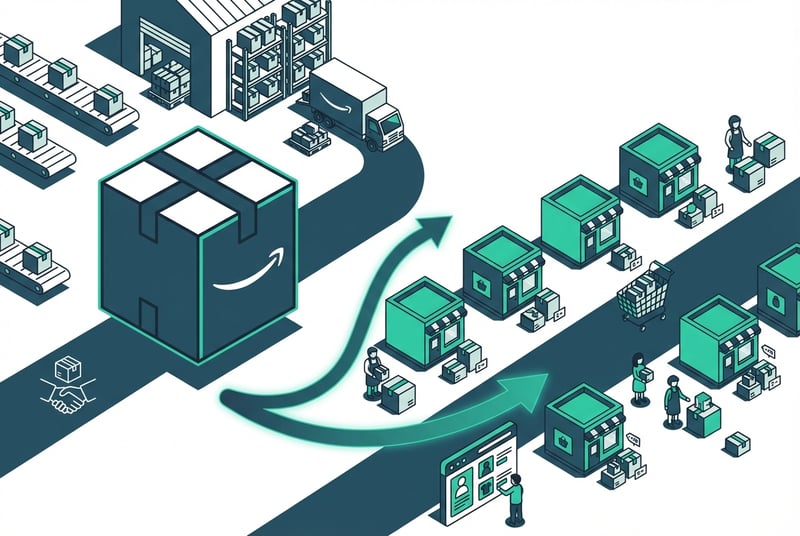
The shift makes financial sense for Amazon. Running Vendor Central means Amazon buys inventory, manages warehouses, handles returns, and absorbs unsold stock risk. With Seller Central, brands shoulder all of that. Amazon collects referral fees, FBA fees, storage fees, and advertising spend without touching the product.
The 2019 purge targeted smaller vendors, often those doing less than $10 million in annual revenue and who lack dedicated Amazon account managers. The 2024 wave followed a similar profile. Reporting from Retail Brew and Marketplace Universe suggests most affected accounts were below $5 million in vendor revenue.

Amazon is not killing Vendor Central entirely. Larger strategic brands and high-velocity SKUs still get purchase orders. But for smaller accounts, Amazon's message is simple: if you want to stay on the platform, you need to run your own operations.

What Happens to Your Listings, Reviews, and ASINs

This is the first question every terminated vendor asks. The short answer: most of your hard-earned equity carries over, but only if you act correctly.

Reviews stay with the ASIN. Customer reviews are tied to the product, not the seller account. When you list the same ASIN on Seller Central, the review count and star rating come with it. This is the single most valuable continuity asset you have.

ASIN ownership depends on Brand Registry. If you are not enrolled in Amazon Brand Registry, you do not technically own your ASINs. Another seller can list your product and control the detail page. Enroll in Brand Registry immediately if you have not already. You will need a registered trademark and verification through the Amazon Brand Registry portal.

Listing content may degrade temporarily. Some vendors report that A+ Content, Enhanced Brand Content, and certain backend contributions drop off when Vendor Central inventory runs out. You can rebuild this content through Seller Central once your account is active and Brand Registry is confirmed.

Your old Vendor Central data does not automatically transfer. Sales reports, advertising history, and backend analytics from Vendor Central do not migrate to Seller Central. Export everything you can before your access expires: product performance data, catalog details, pricing history, advertising reports, and any proprietary backend keywords.

Need Help with Your Vendor Central Transition?

Our team has helped dozens of brands move from 1P to 3P without losing revenue.

Talk to Our Team

Your Options After Vendor Central Termination

You have four paths. The right one depends on your internal capabilities, inventory position, and risk tolerance.

1. Transition to Seller Central and Run 3P Directly

This is the path Amazon wants you to take. You set up a Seller Central account, enroll in Brand Registry, choose a fulfillment method (FBA or FBM), migrate your catalog, and manage your own listings, pricing, advertising, and customer service.

Pros: Full control over pricing, content speed, promotional calendar, and margin structure. No middleman. Direct access to customer data and advertising tools.

Cons: You are now responsible for account hygiene, returns, seller support tickets, policy compliance, and daily operational execution. Many brands underestimate the staffing and systems overhead required to run a clean 3P operation.

Best for: Brands with existing ecommerce operations, internal catalog and advertising talent, and the appetite to own the full Amazon P&L.

2. Work with an Amazon Agency or Channel Partner

A wholesale partner like SupplyKick buys your inventory and runs the Seller Central operation on your behalf. You sell wholesale, just like you did with Amazon Retail, but to a private entity that manages pricing, content, fulfillment, advertising, and account management.

Pros: Fastest path to continuity. No internal hiring. No learning curve. A good partner invests in advertising, content, and inventory planning to grow your sales beyond what Amazon Retail delivered.

Cons: You give up some margin and direct control. The quality of the partnership depends entirely on the partner's execution and alignment with your brand standards.

Best for: Brands that want to preserve Amazon revenue without building internal 3P infrastructure. Also strong for brands where Amazon was already a low-margin distraction and returning control to a specialist makes strategic sense.

3. Run a Hybrid 1P/3P Model

If Amazon did not terminate your entire account but only stopped ordering certain SKUs, you may be able to keep some Vendor Central volume while building Seller Central as a backup and growth engine.

Pros: Hedges dependency on a single Amazon relationship. Lets you test 3P on lower-risk SKUs before committing the full catalog.

Cons: Managing two account types in parallel is operationally messy. Pricing conflicts, buy box competition, and internal reporting complexity all increase.

Best for: Larger brands with dedicated Amazon teams that can handle dual-track operations.

4. Appeal the Termination

Some vendors have successfully delayed or reversed termination by appealing through their Vendor Manager or Vendor Central support. If your account was flagged in error, or if you can make a case for strategic value (new product launches, strong sales velocity, exclusive distribution), an appeal may buy you time.

Pros: Preserves the status quo if successful.

Cons: Most appeals fail. Even when they succeed, the extension is usually temporary. You are delaying the same decision.

Best for: Brands with strong account manager relationships or SKUs that Amazon may have flagged incorrectly.

Step-by-Step Transition Checklist

If you are moving to Seller Central, here is the operational playbook.

1. Set Up Your Seller Central Account

Register as a professional seller. You will need business verification documents, a bank account, and tax information. The verification process can take one to two weeks. Do not wait.

2. Enroll in Brand Registry

Submit your trademark registration and complete identity verification. Brand Registry unlocks A+ Content, Stores, Sponsored Brands ads, and listing protection. Without it, you are vulnerable to hijackers and content degradation.

3. Choose Your Fulfillment Strategy

FBA (Fulfilled by Amazon): Amazon stores your inventory and handles picking, packing, shipping, returns, and customer service. You pay FBA fees and storage fees. This is the default path for most former vendors because it preserves Prime eligibility and simplifies logistics.

FBM (Fulfilled by Merchant): You store inventory and ship orders yourself. Lower fees but you lose Prime unless you qualify for Seller Fulfilled Prime (high bar). Best for heavy or bulky items, perishable goods, or brands with strong existing fulfillment operations.

Hybrid FBA/FBM: Use FBA for fast movers and FBM for slower SKUs or oversize items.

4. Migrate Product Listings and Content

If your ASINs already exist, claiming them through Brand Registry is straightforward. If you need to create new listings, build them with optimized titles, bullet points, descriptions, backend keywords, and high-quality images. Add A+ Content as soon as Brand Registry is active.

Double-check that reviews transferred correctly. If review counts dropped, contact Seller Support immediately.

5. Set Pricing and Advertising Budgets

One of the biggest advantages of moving to 3P is pricing control. You decide the list price and can enforce MAP more effectively. Build a pricing strategy that balances competitiveness with margin goals.

Launch Sponsored Products campaigns immediately. Your old Vendor Central ad coverage will stop when inventory runs out. Do not let your listings go dark. For more on building an Amazon advertising strategy, see our advertising services overview.

6. Monitor the Transition Period

The first 30 days are critical. Watch stock levels, buy box ownership, pricing stability, ad performance, and customer feedback closely. Small mistakes compound quickly. Inventory gaps, pricing errors, or listing suppression can cost you weeks of revenue.

Vendor Central vs. Seller Central: What Actually Changes

Factor Vendor Central (1P) Seller Central (3P)
Pricing control Amazon sets retail price You set list price
Fulfillment Amazon's problem Your choice (FBA/FBM)
Advertising ownership Shared or Amazon-managed Fully your responsibility
Margin structure Wholesale cost + chargebacks Retail price minus fees
Data access Limited vendor reports Full seller analytics
Customer service Amazon handles Amazon (FBA) or you (FBM)
Returns Amazon absorbs Your cost (refunded or destroyed)
Account risk Amazon can stop ordering You control inventory flow

The single biggest operational shift is responsibility. Amazon Retail handled most backend complexity. On Seller Central, every decision and every mistake is yours.

Common Mistakes During the Transition

Waiting too long to start. Some brands assume they have more time than they do. If Amazon stops ordering and your inventory runs out before Seller Central is live, you lose buy box, rankings drop, and competitors fill the gap. Start setup immediately.

Ignoring Brand Registry. Without it, you cannot protect your listings or add A+ Content. Hijackers can take over your detail pages. Enroll on day one.

Underpricing to chase volume. Some brands panic and drop prices to stay competitive. This erodes margin and trains customers to expect discounts. Set pricing based on your target economics, not fear.

Letting advertising coverage lapse. When Vendor Central inventory depletes, your old ad campaigns stop running. If you do not launch Seller Central campaigns immediately, your organic rankings suffer and competitors take share.

Misjudging fulfillment complexity. FBA looks simple until you hit long-term storage fees, stranded inventory, or removal order costs. FBM looks appealing until you realize Prime eligibility matters more than you thought. Model both options carefully.

Skipping data preservation. Once Vendor Central access degrades, you lose historical reports. Export sales data, product catalogs, advertising metrics, and any backend documentation while you still can.

Frequently Asked Questions

Why is Amazon terminating Vendor Central accounts?

Amazon continues shifting toward a marketplace-first model to reduce inventory risk and operational overhead. Third-party sellers handle their own logistics, customer service, and returns, which improves Amazon's margins. Smaller vendors are less strategic for Amazon's wholesale operation and are the first to be cut.

Do I keep my reviews after Vendor Central termination?

Yes. Reviews are tied to ASINs, not seller accounts. When you list the same products on Seller Central, the review count and rating carry over automatically.

How long does the Vendor Central to Seller Central transition take?

Account setup and verification typically take one to two weeks. Full transition, including inventory replenishment, listing optimization, and advertising relaunch, usually takes 30 to 60 days.

Can I appeal an Amazon Vendor Central termination?

Yes. Some brands have successfully filed appeals or requested extensions through their Vendor Manager or Vendor Central support. Success rates are low, and extensions are often temporary, but it is worth attempting if you have a strong case.

Do I need Brand Registry to sell on Seller Central?

You can sell without it, but you should not. Brand Registry protects your listings from hijackers, unlocks A+ Content and Stores, and gives you access to better advertising tools and analytics.

Is Seller Central more profitable than Vendor Central?

It depends on your cost structure. Many brands improve margins on 3P because they control pricing and avoid Vendor Central chargebacks. But you also pay referral fees, FBA fees, advertising costs, and potentially higher internal labor costs. Model your specific economics before assuming 3P is automatically better.

Moving Forward

Amazon's Vendor Central terminations are not one-time disruptions. They are part of a long-term strategic shift toward a marketplace-first platform. The November 2024 wave proved that what happened in 2019 was not an anomaly. Amazon will keep shrinking its 1P footprint and pushing more brands to manage their own Seller Central operations.

The transition is disruptive, but it is also survivable. And for many brands, it creates an opportunity to take back control over pricing, content, and customer experience that was previously dictated by Amazon Retail.

The path you choose depends on your internal capabilities and strategic priorities. If you have the team and systems to run 3P directly, you can capture the full upside of pricing control and margin improvement. If you need speed and continuity without building internal infrastructure, a wholesale partner can step in and replace Amazon Retail while executing a growth-focused Amazon strategy on your behalf.

SupplyKick operates exactly like Amazon 1P: we buy inventory, manage fulfillment, and own the full operational stack. But we also invest in your brand long-term through photography, A+ Content, advertising, and data-driven inventory planning. We have helped dozens of brands transition away from Vendor Central and not only preserve their Amazon revenue but grow it significantly.

If Amazon just terminated your Vendor Central account, you have options. The next 30 days matter. Move fast, protect your listings, and choose a path that aligns with your long-term brand strategy.

Ready to Protect Your Amazon Revenue?

SupplyKick has helped dozens of brands transition from Vendor Central without losing sales.

Connect with Our Team

Related Resources

What to Do When Amazon Terminates Your Vendor Central Account

SupplyKick
Mar 6, 2019 8:50:45 PM | Updated Mar 15, 2026

Amazon Vendor Central Termination: Transition Guide

The 2024 Wave Proves Vendor Cuts Are Not a One-Time Event

In November 2024, Amazon sent termination notices to hundreds of Vendor Central accounts. The emails were brief. Amazon had completed a "regular review" of its product offerings and decided to stop sourcing those brands' inventory. Affected vendors had 60 days to figure out what came next.

This was not the first time. Amazon did the same thing in March 2019, cutting purchase orders to thousands of smaller vendors and pushing them toward Seller Central. The pattern is clear: Amazon periodically shrinks its 1P wholesale footprint and shifts more brands to the 3P marketplace model. If you received a termination notice, you are not alone. And the good news is that the path forward is well understood.

This guide walks through why Amazon keeps cutting vendor accounts, what happens to your listings and reviews, what your real options are, and how to manage the transition without losing sales.

Why Amazon Keeps Cutting Vendor Central Accounts

Amazon has been vocal about its preference for third-party sellers. In his 2018 shareholder letter, Jeff Bezos pointed out that 2017 was the first year marketplace sellers outsold Amazon Retail in unit volume. That gap has only widened. By 2024, third-party sellers accounted for more than 60% of units sold on Amazon.

The shift makes financial sense for Amazon. Running Vendor Central means Amazon buys inventory, manages warehouses, handles returns, and absorbs unsold stock risk. With Seller Central, brands shoulder all of that. Amazon collects referral fees, FBA fees, storage fees, and advertising spend without touching the product.

The 2019 purge targeted smaller vendors, often those doing less than $10 million in annual revenue and who lack dedicated Amazon account managers. The 2024 wave followed a similar profile. Reporting from Retail Brew and Marketplace Universe suggests most affected accounts were below $5 million in vendor revenue.

Amazon is not killing Vendor Central entirely. Larger strategic brands and high-velocity SKUs still get purchase orders. But for smaller accounts, Amazon's message is simple: if you want to stay on the platform, you need to run your own operations.

What Happens to Your Listings, Reviews, and ASINs

This is the first question every terminated vendor asks. The short answer: most of your hard-earned equity carries over, but only if you act correctly.

Reviews stay with the ASIN. Customer reviews are tied to the product, not the seller account. When you list the same ASIN on Seller Central, the review count and star rating come with it. This is the single most valuable continuity asset you have.

ASIN ownership depends on Brand Registry. If you are not enrolled in Amazon Brand Registry, you do not technically own your ASINs. Another seller can list your product and control the detail page. Enroll in Brand Registry immediately if you have not already. You will need a registered trademark and verification through the Amazon Brand Registry portal.

Listing content may degrade temporarily. Some vendors report that A+ Content, Enhanced Brand Content, and certain backend contributions drop off when Vendor Central inventory runs out. You can rebuild this content through Seller Central once your account is active and Brand Registry is confirmed.

Your old Vendor Central data does not automatically transfer. Sales reports, advertising history, and backend analytics from Vendor Central do not migrate to Seller Central. Export everything you can before your access expires: product performance data, catalog details, pricing history, advertising reports, and any proprietary backend keywords.

Need Help with Your Vendor Central Transition?

Our team has helped dozens of brands move from 1P to 3P without losing revenue.

Talk to Our Team

Your Options After Vendor Central Termination

You have four paths. The right one depends on your internal capabilities, inventory position, and risk tolerance.

1. Transition to Seller Central and Run 3P Directly

This is the path Amazon wants you to take. You set up a Seller Central account, enroll in Brand Registry, choose a fulfillment method (FBA or FBM), migrate your catalog, and manage your own listings, pricing, advertising, and customer service.

Pros: Full control over pricing, content speed, promotional calendar, and margin structure. No middleman. Direct access to customer data and advertising tools.

Cons: You are now responsible for account hygiene, returns, seller support tickets, policy compliance, and daily operational execution. Many brands underestimate the staffing and systems overhead required to run a clean 3P operation.

Best for: Brands with existing ecommerce operations, internal catalog and advertising talent, and the appetite to own the full Amazon P&L.

2. Work with an Amazon Agency or Channel Partner

A wholesale partner like SupplyKick buys your inventory and runs the Seller Central operation on your behalf. You sell wholesale, just like you did with Amazon Retail, but to a private entity that manages pricing, content, fulfillment, advertising, and account management.

Pros: Fastest path to continuity. No internal hiring. No learning curve. A good partner invests in advertising, content, and inventory planning to grow your sales beyond what Amazon Retail delivered.

Cons: You give up some margin and direct control. The quality of the partnership depends entirely on the partner's execution and alignment with your brand standards.

Best for: Brands that want to preserve Amazon revenue without building internal 3P infrastructure. Also strong for brands where Amazon was already a low-margin distraction and returning control to a specialist makes strategic sense.

3. Run a Hybrid 1P/3P Model

If Amazon did not terminate your entire account but only stopped ordering certain SKUs, you may be able to keep some Vendor Central volume while building Seller Central as a backup and growth engine.

Pros: Hedges dependency on a single Amazon relationship. Lets you test 3P on lower-risk SKUs before committing the full catalog.

Cons: Managing two account types in parallel is operationally messy. Pricing conflicts, buy box competition, and internal reporting complexity all increase.

Best for: Larger brands with dedicated Amazon teams that can handle dual-track operations.

4. Appeal the Termination

Some vendors have successfully delayed or reversed termination by appealing through their Vendor Manager or Vendor Central support. If your account was flagged in error, or if you can make a case for strategic value (new product launches, strong sales velocity, exclusive distribution), an appeal may buy you time.

Pros: Preserves the status quo if successful.

Cons: Most appeals fail. Even when they succeed, the extension is usually temporary. You are delaying the same decision.

Best for: Brands with strong account manager relationships or SKUs that Amazon may have flagged incorrectly.

Step-by-Step Transition Checklist

If you are moving to Seller Central, here is the operational playbook.

1. Set Up Your Seller Central Account

Register as a professional seller. You will need business verification documents, a bank account, and tax information. The verification process can take one to two weeks. Do not wait.

2. Enroll in Brand Registry

Submit your trademark registration and complete identity verification. Brand Registry unlocks A+ Content, Stores, Sponsored Brands ads, and listing protection. Without it, you are vulnerable to hijackers and content degradation.

3. Choose Your Fulfillment Strategy

FBA (Fulfilled by Amazon): Amazon stores your inventory and handles picking, packing, shipping, returns, and customer service. You pay FBA fees and storage fees. This is the default path for most former vendors because it preserves Prime eligibility and simplifies logistics.

FBM (Fulfilled by Merchant): You store inventory and ship orders yourself. Lower fees but you lose Prime unless you qualify for Seller Fulfilled Prime (high bar). Best for heavy or bulky items, perishable goods, or brands with strong existing fulfillment operations.

Hybrid FBA/FBM: Use FBA for fast movers and FBM for slower SKUs or oversize items.

4. Migrate Product Listings and Content

If your ASINs already exist, claiming them through Brand Registry is straightforward. If you need to create new listings, build them with optimized titles, bullet points, descriptions, backend keywords, and high-quality images. Add A+ Content as soon as Brand Registry is active.

Double-check that reviews transferred correctly. If review counts dropped, contact Seller Support immediately.

5. Set Pricing and Advertising Budgets

One of the biggest advantages of moving to 3P is pricing control. You decide the list price and can enforce MAP more effectively. Build a pricing strategy that balances competitiveness with margin goals.

Launch Sponsored Products campaigns immediately. Your old Vendor Central ad coverage will stop when inventory runs out. Do not let your listings go dark. For more on building an Amazon advertising strategy, see our advertising services overview.

6. Monitor the Transition Period

The first 30 days are critical. Watch stock levels, buy box ownership, pricing stability, ad performance, and customer feedback closely. Small mistakes compound quickly. Inventory gaps, pricing errors, or listing suppression can cost you weeks of revenue.

Vendor Central vs. Seller Central: What Actually Changes

Factor Vendor Central (1P) Seller Central (3P)
Pricing control Amazon sets retail price You set list price
Fulfillment Amazon's problem Your choice (FBA/FBM)
Advertising ownership Shared or Amazon-managed Fully your responsibility
Margin structure Wholesale cost + chargebacks Retail price minus fees
Data access Limited vendor reports Full seller analytics
Customer service Amazon handles Amazon (FBA) or you (FBM)
Returns Amazon absorbs Your cost (refunded or destroyed)
Account risk Amazon can stop ordering You control inventory flow

The single biggest operational shift is responsibility. Amazon Retail handled most backend complexity. On Seller Central, every decision and every mistake is yours.

Common Mistakes During the Transition

Waiting too long to start. Some brands assume they have more time than they do. If Amazon stops ordering and your inventory runs out before Seller Central is live, you lose buy box, rankings drop, and competitors fill the gap. Start setup immediately.

Ignoring Brand Registry. Without it, you cannot protect your listings or add A+ Content. Hijackers can take over your detail pages. Enroll on day one.

Underpricing to chase volume. Some brands panic and drop prices to stay competitive. This erodes margin and trains customers to expect discounts. Set pricing based on your target economics, not fear.

Letting advertising coverage lapse. When Vendor Central inventory depletes, your old ad campaigns stop running. If you do not launch Seller Central campaigns immediately, your organic rankings suffer and competitors take share.

Misjudging fulfillment complexity. FBA looks simple until you hit long-term storage fees, stranded inventory, or removal order costs. FBM looks appealing until you realize Prime eligibility matters more than you thought. Model both options carefully.

Skipping data preservation. Once Vendor Central access degrades, you lose historical reports. Export sales data, product catalogs, advertising metrics, and any backend documentation while you still can.

Frequently Asked Questions

Why is Amazon terminating Vendor Central accounts?

Amazon continues shifting toward a marketplace-first model to reduce inventory risk and operational overhead. Third-party sellers handle their own logistics, customer service, and returns, which improves Amazon's margins. Smaller vendors are less strategic for Amazon's wholesale operation and are the first to be cut.

Do I keep my reviews after Vendor Central termination?

Yes. Reviews are tied to ASINs, not seller accounts. When you list the same products on Seller Central, the review count and rating carry over automatically.

How long does the Vendor Central to Seller Central transition take?

Account setup and verification typically take one to two weeks. Full transition, including inventory replenishment, listing optimization, and advertising relaunch, usually takes 30 to 60 days.

Can I appeal an Amazon Vendor Central termination?

Yes. Some brands have successfully filed appeals or requested extensions through their Vendor Manager or Vendor Central support. Success rates are low, and extensions are often temporary, but it is worth attempting if you have a strong case.

Do I need Brand Registry to sell on Seller Central?

You can sell without it, but you should not. Brand Registry protects your listings from hijackers, unlocks A+ Content and Stores, and gives you access to better advertising tools and analytics.

Is Seller Central more profitable than Vendor Central?

It depends on your cost structure. Many brands improve margins on 3P because they control pricing and avoid Vendor Central chargebacks. But you also pay referral fees, FBA fees, advertising costs, and potentially higher internal labor costs. Model your specific economics before assuming 3P is automatically better.

Moving Forward

Amazon's Vendor Central terminations are not one-time disruptions. They are part of a long-term strategic shift toward a marketplace-first platform. The November 2024 wave proved that what happened in 2019 was not an anomaly. Amazon will keep shrinking its 1P footprint and pushing more brands to manage their own Seller Central operations.

The transition is disruptive, but it is also survivable. And for many brands, it creates an opportunity to take back control over pricing, content, and customer experience that was previously dictated by Amazon Retail.

The path you choose depends on your internal capabilities and strategic priorities. If you have the team and systems to run 3P directly, you can capture the full upside of pricing control and margin improvement. If you need speed and continuity without building internal infrastructure, a wholesale partner can step in and replace Amazon Retail while executing a growth-focused Amazon strategy on your behalf.

SupplyKick operates exactly like Amazon 1P: we buy inventory, manage fulfillment, and own the full operational stack. But we also invest in your brand long-term through photography, A+ Content, advertising, and data-driven inventory planning. We have helped dozens of brands transition away from Vendor Central and not only preserve their Amazon revenue but grow it significantly.

If Amazon just terminated your Vendor Central account, you have options. The next 30 days matter. Move fast, protect your listings, and choose a path that aligns with your long-term brand strategy.

Ready to Protect Your Amazon Revenue?

SupplyKick has helped dozens of brands transition from Vendor Central without losing sales.

Connect with Our Team

Related Resources

SupplyKick Newsletter: Amazon Growth Strategies and News

Stay up to date with all things Amazon.

Sign up to receive our newsletter for growth strategies, important updates, inventory and policy changes, and best practices.